How to Troubleshoot Common Commercial Washer and Dryer Fault Codes
In today’s competitive market, a commercial washer or dryer fault code can affect more than one laundry cycle. It can disrupt linen availability, staff workflows, and service standards in a hotel, hospital, or commercial laundry facility. The code is a useful first clue, but it is not a repair diagnosis.
A facility manager’s role is to respond safely, capture the information a technician needs, and decide whether the machine can return to service. This practical triage guide explains what common fault-code categories generally signal, what checks are appropriate without opening the machine, and when to request expert repair.
Important: Codes and reset procedures vary by machine. Always follow the equipment’s operating instructions and safety notices. This guide is not a substitute for the machine manual or qualified service.
Why commercial laundry machines display fault codes
Commercial laundry equipment uses sensors and controls to monitor operations such as water level, temperature, door position, and motor performance. A fault code appears when the machine detects a condition outside its expected operating range or cannot confirm that a process has completed correctly.
The code may identify a problem, or simply indicate that the control system needs a technician to investigate. A drain-related alert, for example, does not prove that a pump has failed; the issue could involve a restriction, drainage conditions, or a sensor reading. Code definitions are not universal, so check the correct manual for the machine before acting. The same alert number can mean different things on different models, which is why model-specific instructions matter.

A safe first-response sequence for facility managers
When an error appears, take a measured approach rather than trying repeated resets. Follow these steps:
- Protect people and the facility. If you notice smoke, a burning smell, unusual heat, a leak, sparking, or a drum that does not stop, keep people clear and take the machine out of service. Follow your facility’s emergency procedures.
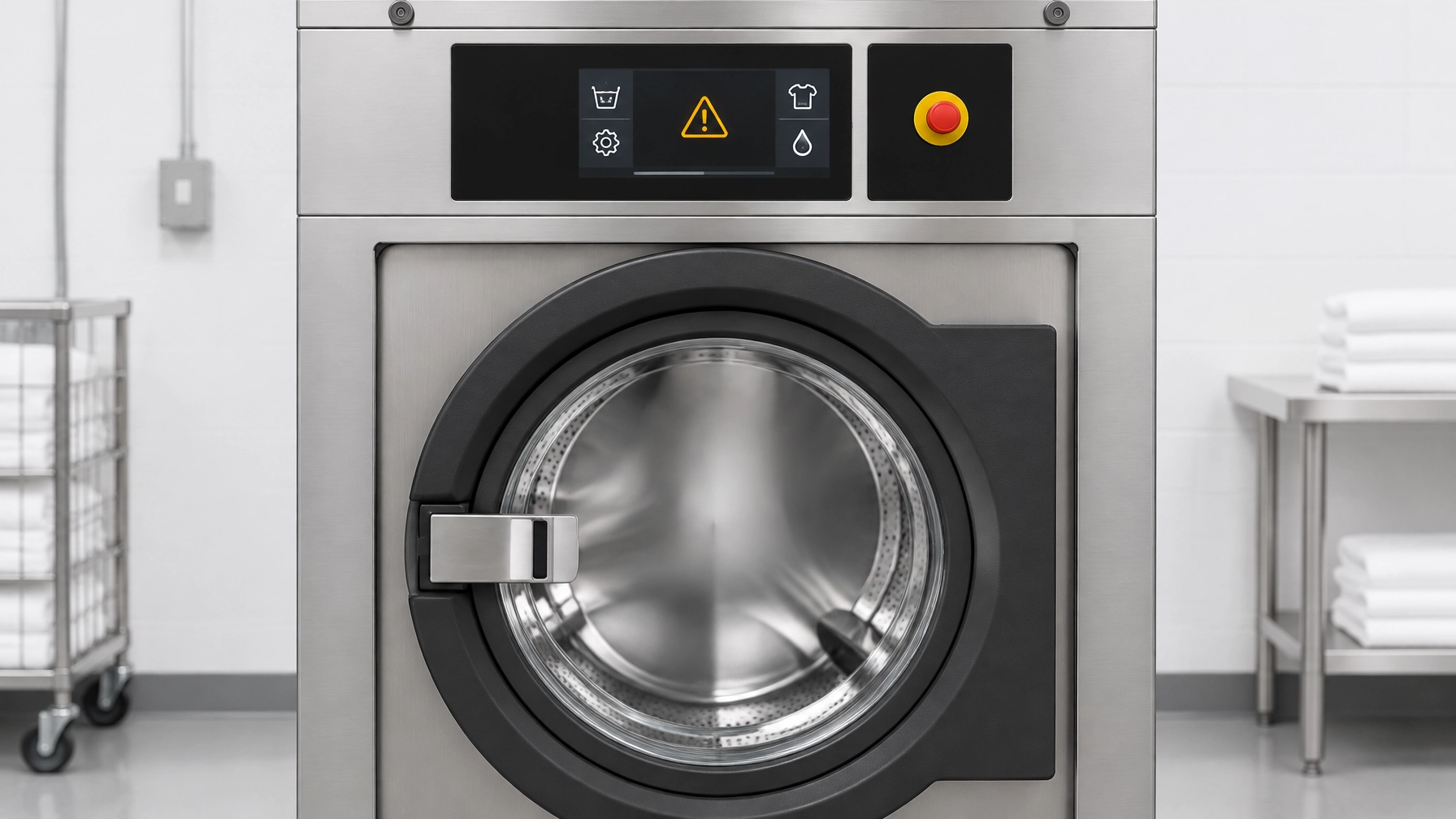
- Record the code before doing anything else. Photograph the display if permitted. Note the machine identification, date and time, cycle stage, load type, and any unusual sounds, smells, or visible conditions.
- Check the obvious conditions externally. Look for a door that is not fully closed, laundry caught at the seal, a visibly overloaded or uneven load, an accessible drain hose that is kinked, or an obstructed dryer lint screen. Only perform checks permitted by the operating instructions; do not remove panels or reach into moving equipment.
- Consult the machine’s instructions. Confirm what the code means for that machine and whether the manual allows an operator reset. If instructions are unavailable or unclear, do not improvise.
- Reset once only if the manual directs you to. Record the reset and whether the same code returns. A reset may clear a temporary interruption; it does not correct a mechanical, electrical, or airflow problem.
- Log the outcome and escalate as needed. Note whether the cycle resumed, the fault returned, or the machine remained unavailable. Communicate the information to the service contact.
Keep staff within their authorized responsibilities: operator checks are not a license to service internal components. When a code is unclear, consult the machine’s operator documentation or a qualified service provider.
What common fault-code categories may indicate
Exact wording differs between machines, but many commercial washers and dryers report a fault within one of these broad categories.
Drain or water-level faults
A drain fault generally means the machine did not drain as expected or did not register the expected water level. A water-level fault may point to a fill or level-detection issue. From outside the machine, a manager can check for a visible hose kink, confirm that the appropriate water supply is available if the procedure permits, or look for an obvious blockage in a user-accessible area described in the manual.
Do not open a pump compartment, disconnect hoses, or attempt to clear internal components. If the code recurs, water remains in the drum, or water continues to enter unexpectedly, keep the machine out of use and call a technician.
Door or lid-lock faults
A door or lid-lock alert means the control cannot confirm that the access point is securely closed or locked. Check that it is closed normally and that no laundry is caught in the seal. Do not force the door, reach inside while a drum may be moving, or attempt to bypass an interlock. If the fault returns after a permitted check, the lock or its controls require qualified assessment.
Unbalanced-load faults
An imbalance alert may occur when a load cannot distribute evenly for extraction or spin. If the drum has stopped and the machine can be opened safely under the manual’s instructions, redistribute the load and avoid running a single bulky item on its own. Do not open a locked machine or reach into a moving drum. Recurring imbalance alerts, even with ordinary loads, may signal a leveling or mechanical issue that should be evaluated by a technician.
Over-temperature faults
An over-temperature alert means the machine has detected heat outside its expected range. For a dryer, check and clean only the lint screen or other operator-accessible areas identified in the manual. Keep ventilation openings clear. Do not open a burner compartment, remove panels, or reset a temperature safety device unless the manufacturer’s instructions specifically authorize that task for the operator.
If the alert returns, stop using the machine until the cause is assessed. Continuing operation with a temperature fault can create a safety risk and may lead to further equipment damage.
Motor, drive, or communication faults
Motor and drive alerts can relate to a problem turning or controlling the drum. Communication faults generally mean that control components are not exchanging information as expected. These categories often require internal electrical checks, which are not appropriate for facility staff.
Do not open control compartments, handle wiring, or repeatedly cycle power to clear the code. Record the exact message and contact a qualified service provider if it persists or returns.

When to stop resetting and call for expert repair
A recurring code is a reason to investigate, not an invitation to keep restarting the equipment. Arrange professional service when:
- The same fault returns after the single reset allowed by the manual.
- A code interrupts normal operation more than once, or appears on multiple cycles.
- The machine leaks, overheats, makes unusual noises, or shows signs of electrical trouble.
- A door-lock, motor, drive, temperature, or communication alert persists.
- A washer retains water, a dryer repeatedly stops with a heat-related alert, or the machine does not behave safely.
- The manual identifies the fault as requiring service or does not provide an operator-level resolution.
If there is an immediate safety concern, take the machine out of service and follow site procedures rather than waiting to see whether another reset works. Do not bypass an interlock switch, ignore repeat faults, or clear alerts endlessly. These actions can expose staff to hazards and obscure the history a technician needs to diagnose the cause.

Use fault-code logs to spot fleet-wide patterns
A consistent fault-code log helps turn isolated alerts into actionable maintenance information. For each incident, record the machine identification, code, date and time, cycle stage, load details, visible conditions, reset attempt, and outcome. Include the service visit and any repair or maintenance performed.
Across a fleet, this information can reveal patterns that are easy to miss when each event is handled separately. For example, similar alerts on machines used for the same type of load may point to an operating condition worth reviewing. Repeated faults on one machine can help prioritize service before an unexpected shutdown disrupts operations.
Make the log accessible to relevant staff and share it with the technician. A clear fault history can help focus troubleshooting and support better decisions about equipment availability.
Preventive maintenance supports reliable operations
A fault code is often the first visible sign that a machine needs attention. Scheduled preventive maintenance helps identify wear, airflow or drainage concerns, and operating issues before they become repeated interruptions. It also gives managers a structured way to review how equipment is being used and whether processes can be improved.
Wash IQ provides service and repair for any brand of laundry equipment, along with preventive maintenance and efficiency reports. With more than 50 years of industry experience, Wash IQ supports facilities seeking dependable equipment performance and informed operational decisions.
If a fault keeps returning, or you need help evaluating your laundry operation, contact Wash IQ or call 1-844-492-7447 to discuss service, preventive maintenance, or an efficiency review.